Documents
Reusable multi-page document templates, a living per-client binder, rich text and structured page editors, page snapshots, and a visual layout designer.
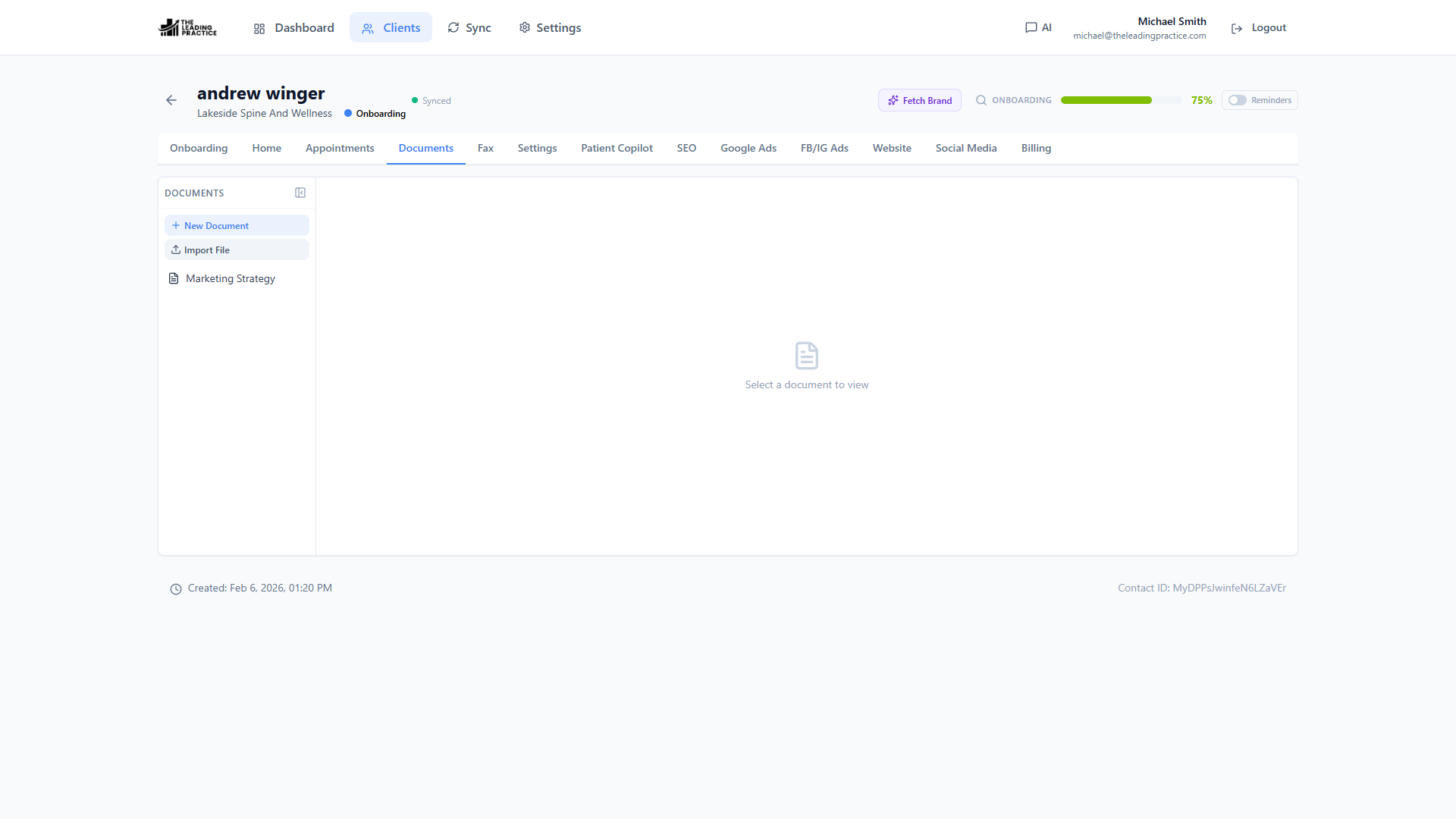
The client binder, attached to the client
Proposals, SOPs, audits, monthly reports, scope documents. Every agency produces the same six documents for every client and stores them in six different places.
Templates the whole agency reuses
Build multi-page document templates once — a proposal, an SEO audit, an onboarding pack — and every client’s version starts from the same structure. Standardization is not bureaucracy; it is the reason your fourth-best person can produce your best person’s document.
Documents that live on the client record
Create a document from a template against a client, then add, reorder and delete pages, and edit each page’s metadata. It sits in the client’s Documents tab, next to their onboarding and their meetings. There is no “which Drive folder was that in”.
Editors for whichever kind of page it is
- Rich text for prose that has to look presentable to a client.
- Structured block editing for pages that are really data.
- Markdown where your team would rather just write.
Pages support snapshots, so a rewrite that went wrong is one restore away.
Brand it without a developer
The Pages Designer is a visual layout designer for page templates — a section grid and an icon picker — so the client-facing pages look like your agency rather than like a generic app. PDFs attached to a client render inline with thumbnails and a viewer, so you can skim an attachment without downloading it.
Questions about documents
Why not just use Google Docs?
Because a Google Doc is not attached to the client record, does not know the client's field values, and cannot be standardized as a template your whole agency reuses. These documents live on the client.
Can I version a page?
Yes. Pages support snapshots, so a rewrite is recoverable.
Do I need a developer to brand the pages?
No. The Pages Designer is a visual layout designer with a section grid and an icon picker for page templates.
See Power CRM on your own GoHighLevel account
A 30-minute working session against a location you pick. We show onboarding, the sync conflict queue and AI field capture on real data — then you decide.