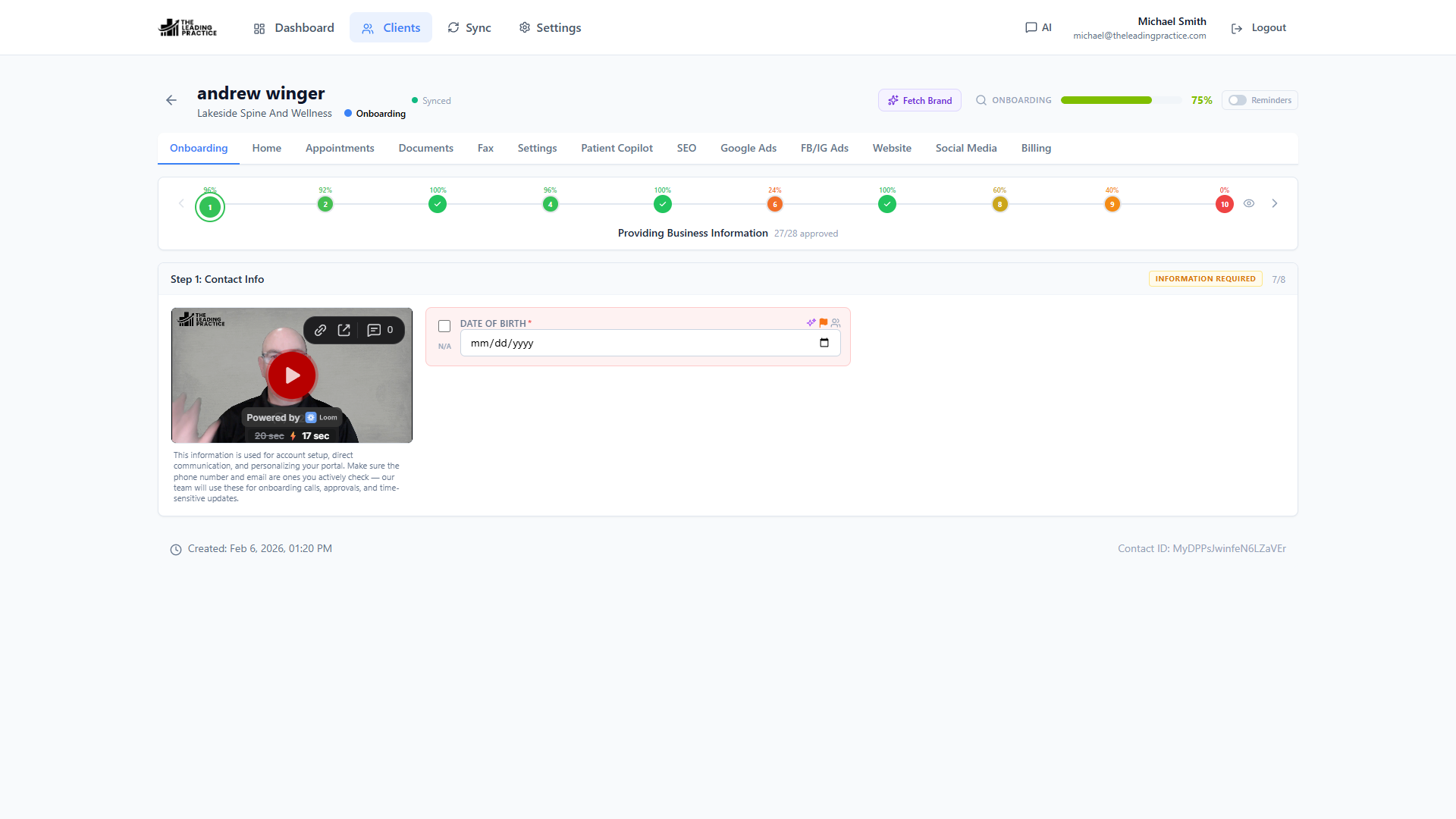
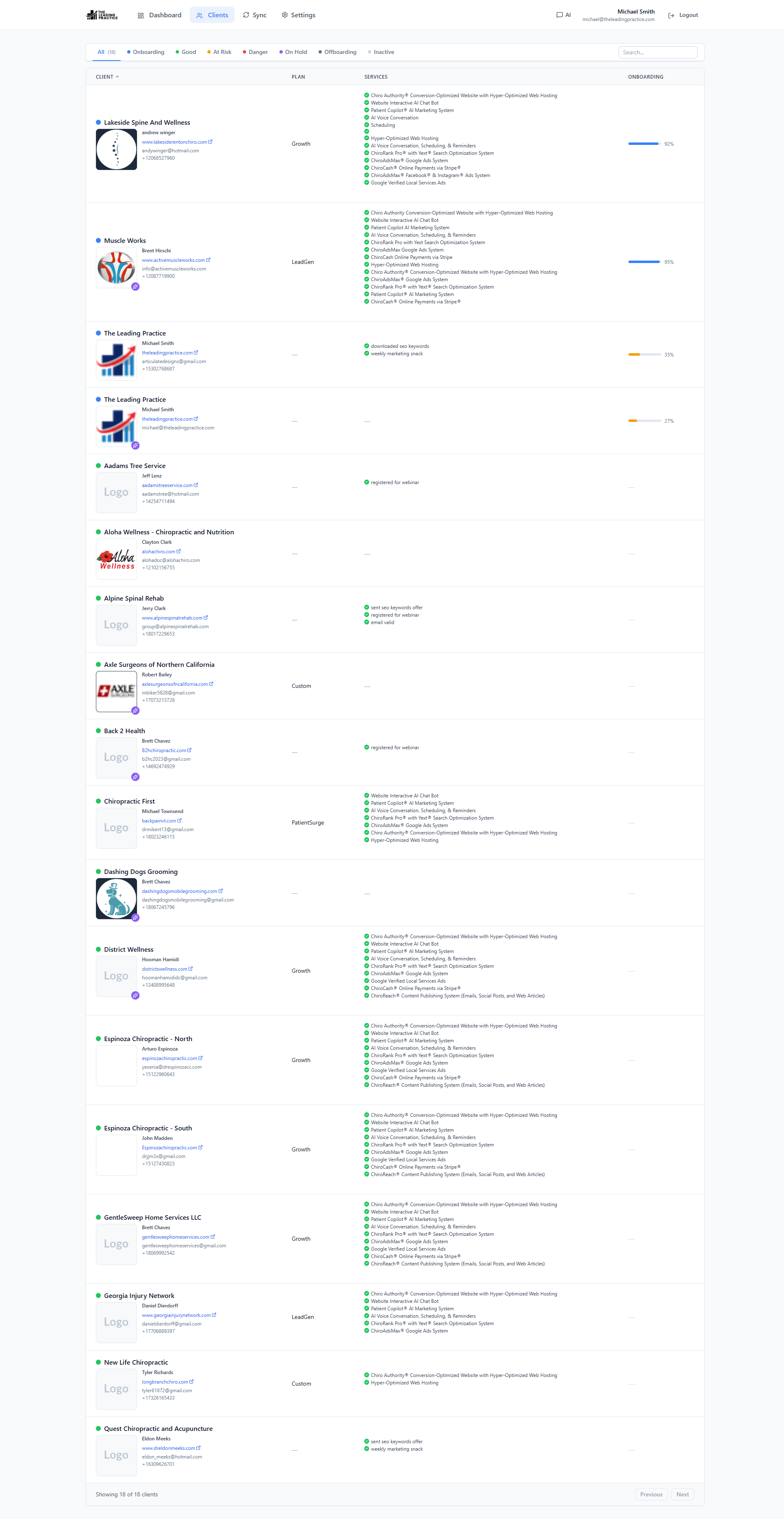
Client Management
One roster of every client, synced from GoHighLevel contacts, with a tabbed workspace that holds info, onboarding, services, pricing, documents and fax on a single record.
Learn moreGoHighLevel Marketplace app
Power CRM installs into GoHighLevel and gives your agency one workspace for client onboarding, AI-filled data, documents, meetings and calendars — with every field synced both ways against the CRM.
Book a working demo
We connect Power CRM to a GoHighLevel location you choose and walk through onboarding, sync and AI field capture live. No slide deck.
We reply from [email protected]. No sales sequence, no reselling your details.
Why it exists
Every agency running GoHighLevel ends up with the same gap — the CRM holds the contact, but onboarding lives in a spreadsheet, brand assets live in Drive, meeting notes live in someone's inbox, and nothing agrees with anything else. Power CRM closes that gap inside the CRM instead of beside it.
Features
Every pillar below is live in the app today — onboarding, sync, AI capture, documents, meetings, calendars, custom data, fax and permissions.
One roster of every client, synced from GoHighLevel contacts, with a tabbed workspace that holds info, onboarding, services, pricing, documents and fax on a single record.
Learn more
Configurable multi-stage onboarding with a status on every field, a cross-client missing-info queue, and automated reminders that chase the client for you.
Learn more
Cache-first reads, durable local-first writes, real two-way field sync, and an explicit conflict queue — instead of last-write-wins and a spinner.
Learn more
An agentic loop that fills an onboarding field from the client's real website, their Google Business listing and their DNS — then queues the value into GoHighLevel.
Learn more
A context-aware chat panel that already knows the selected client — their fields, their custom values and their stage-by-stage onboarding progress.
Learn more
Give it a domain and it returns the client's colors, fonts, tagline, about-us copy, social profiles and logo — every value mapped into the right GoHighLevel field.
Learn moreFrom install to live
Install from the GoHighLevel marketplace and the app finds your sub-accounts on its own. There is no data migration and no second system of record.
Authorize the app against your agency, pick the locations to connect, and Power CRM discovers your sub-accounts on its own.
Define your stages, sections, fields and status flow. No fixed template — the app matches how your agency actually onboards.
Brand fetch, website crawl and the field-generation loop populate what is knowable from the client's domain, then queue it into GHL.
Every unapproved or blank field rolls up into one cross-client queue with client-facing reminders until onboarding is done.
Who it is for
The onboarding problem and the sync problem look different depending on whether you deliver the work or resell the platform.
You deliver websites, SEO, ads, social and email for your clients. You need onboarding that finishes, a queue of what is blocking, per-service field access for each delivery team, and documents and meetings attached to the client record.
For agenciesYou resell GoHighLevel under your own brand. Your margin is in how many sub-accounts one person can onboard and support — and your differentiation is the capabilities the base platform does not have, like fax inside the CRM.
For SaaSpreneursCommon questions
How it installs, what it touches, and what happens to your data if you remove it.
Power CRM is a GoHighLevel marketplace app. It installs into your GoHighLevel agency and adds the operating layer the CRM does not have: configurable client onboarding, AI-assisted data capture, documents, meetings, calendars, custom data and fax — all synced two ways against GoHighLevel contacts, custom fields and custom values.
No. It runs on top of GoHighLevel and treats it as the source of truth. Every write Power CRM owns is reconciled back into the CRM. If you removed Power CRM tomorrow, your data would still be in GoHighLevel where your workflows expect it.
Install it from the GoHighLevel marketplace and authorize it against your agency. You choose which locations to connect. From there the app discovers your sub-accounts on its own, backfills historical data if you ask it to, and keeps the OAuth connection alive with a token-refresh worker. The full walkthrough is in the setup guide.
Power CRM is priced per agency, against the number of GoHighLevel sub-accounts you run and the modules you switch on. We do not publish a tier table because a 6-location agency and a 300-location SaaS reseller are not the same product. Tell us your setup and we will quote it on a call.
Power CRM accesses your GoHighLevel data through the OAuth scopes you grant at install — contacts and their custom fields, location custom fields and custom values, calendars and appointments, users, and the objects the modules you enable require. It caches that data to serve reads instantly and to queue writes durably. The full detail, including sub-processors and deletion on uninstall, is in the privacy policy.
A 30-minute working session against a location you pick. We show onboarding, the sync conflict queue and AI field capture on real data — then you decide.