Client Management
One roster of every client, synced from GoHighLevel contacts, with a tabbed workspace that holds info, onboarding, services, pricing, documents and fax on a single record.
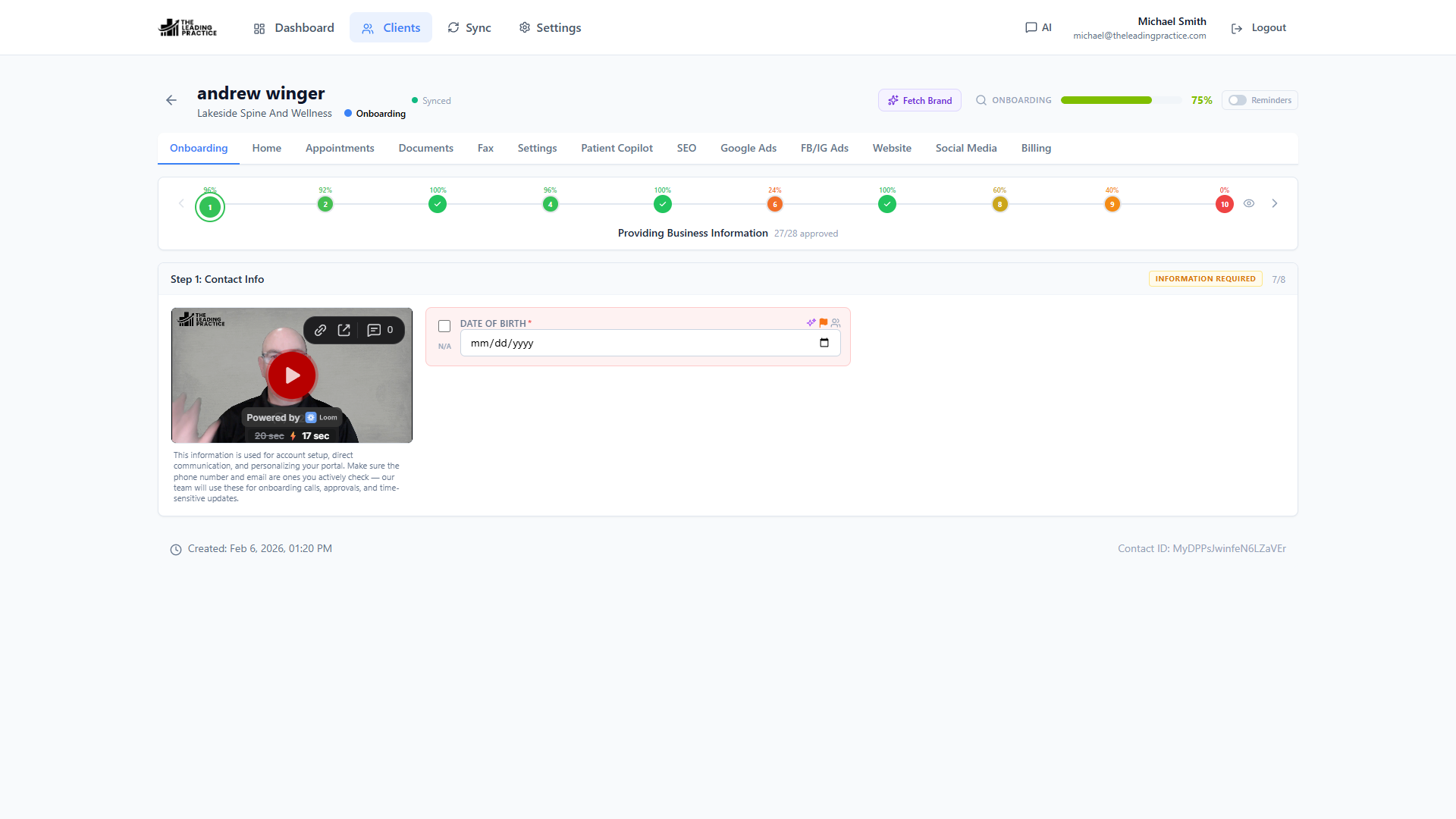
The client record your CRM does not have
GoHighLevel holds the contact. It does not hold everything around the contact — the onboarding state, the brand assets, the service scope, the credentials, the documents, the pricing. Those live in a spreadsheet, a Drive folder, a Slack thread and someone’s head. Power CRM puts them on the client record itself.
One roster, always current
The client list is built from your GoHighLevel contacts and locations. Filter by status or onboarding stage, search across the book of business, and see aggregate statistics — how many clients are in flight, how far each has progressed, which ones are blocked. New sub-accounts appear on their own: a background discovery worker watches your GoHighLevel installs and adds locations as they arrive.
A workspace, not a form
Open a client and you get a tabbed workspace rather than a wall of fields:
- Home — the at-a-glance state of the account
- Info — the core client data, editable inline
- Onboarding — the stages, sections and fields you defined, each with its own status
- Services — per-service field sets for Website, SEO, Paid Ads, Social and Email
- Pricing — the plan and services assigned to this client, with the retail total computed for you
- Documents — the client’s binder, built from your templates
- Fax — send and receive on the client’s provisioned number
- Settings — the per-client switches
Nothing here is a link out to another tool. It is the same record, in the same app, sitting on top of the same CRM.
Editing that does not lose work
Fields are click-to-edit. There is no form to open, no save button to hunt for, no modal to dismiss. Every edit is written to Power CRM’s own store first and then queued to GoHighLevel by a worker that runs every 30 seconds — so an edit made while the GoHighLevel API is rate-limited or briefly down still lands. The field shows its sync state until it is confirmed.
Every field also keeps a history. Click into it and you see who changed what, and when — and you can restore any prior value without touching a database.
Scoped to the team that needs it
Your SEO people do not need the paid-ads fields. Your ads people do not need the website credentials. Service tabs carry their own field sets, and a field-to-service map decides where each field appears. Combined with role permissions, that means each delivery team opens a client and sees only its own work.
The pricing your agency actually charges
Define your services with retail prices, bundle them into plans, and assign a plan to a client. The retail total is summed from the included services, so the value of what a client is receiving is never a guess and never a stale spreadsheet cell.
Questions about client management
Where do the client records come from?
They are synced from your GoHighLevel contacts and locations. Power CRM discovers connected sub-accounts on its own after you authorize the app, so you do not import or re-key anything.
What happens if I edit a field and GoHighLevel is rate-limited?
The edit is written locally first and queued. A background worker pushes it to GoHighLevel every 30 seconds and marks it synced when it lands. Your save never fails because the CRM API is busy.
Can I undo a bad edit?
Yes. Every field carries its own version history, and any prior value can be restored in one click.
See Power CRM on your own GoHighLevel account
A 30-minute working session against a location you pick. We show onboarding, the sync conflict queue and AI field capture on real data — then you decide.